Table Of Content
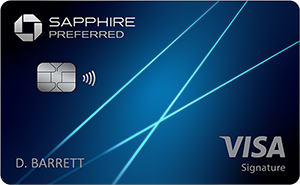
Can I Add an Authorized User to My Chase Sapphire Preferred Credit Card?
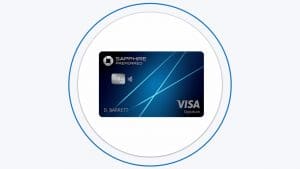
You can add a close associate or a family member to your Chase Sapphire Preferred credit card and authorize them to transact on your account. You can add an authorized user to the credit card account online or by calling Chase customer service or online via the website.
You are responsible for any charges made by the authorized users added to your Chase Sapphire Preferred credit card. There are no additional annual fees, and there are no age restrictions.
By adding authorized users, you share the convenience of your account with them. They get their cards and enjoy full access to the account. Moreover, you can earn rewards on purchases made by authorized users.
How to Add an Authorized User to Chase Sapphire Preferred Card?
Chase easily adds authorized users to your Sapphire Preferred Card account. You can add an authorized user either online or by phone.
Below are the steps for online adding an authorized user to your Chase Sapphire Preferred card account.
- Log in: Open the bank’s website on your favorite browser and log in. After logging in to your Chase Sapphire Preferred Card account, click on ‘More’ in the top right corner.
- Navigate to ‘Account Services.’: On the drop-down menu, click on ‘account services’ and then click on ‘add an authorized user.’
- Enter the authorized user’s details: After clicking on the ‘add authorized user’ tab, you will be prompted to fill in their details. You must provide the user’s name, date of birth, and address. After filling in the details, click on ‘next’ to complete the process. If the authorized user has a foreign address, you must call the bank to add them.
You can also add an authorized user to your Chase Sapphire Preferred credit card account by calling the number on the back of the card.
The authorized user’s card is sent to your mailing address within 7-10 working days.
Rewards Plan
Welcome Bonus
Intro APR
PROS
- Welcome Bonus
- No Blackout Dates
CONS
- Annual Fee
- Low Merchandise Rewards
APR
19.74%–27.99% variable
Annual Fee
$95
Balance Transfer Fee
5% or $5, whichever is greater
Credit Requirements
Good – Excellent
Rewards Plan
Welcome Bonus
Credit Rating
Intro APR
Annual Fee
APR
- Welcome Bonus
- No Blackout Dates
- Annual Fee
- Low Merchandise Rewards
On Chase Secure Website
How Chase Sapphire Preferred Authorized Users Work?
When you add authorized users to your Chase Sapphire Preferred card, they have the same charging privileges but are not financially responsible. After adding an authorized user, you share with them access to your account and the credit limit.
As the primary cardholder, you can customize the spending limits of authorized users. Chase allows you to lock and freeze spending on your credit card account until you unlock it. The users cannot change the account information, lock and unlock or add other authorized users.
Chase limits its clients to five new accounts per rolling two years. This implies that the financial institution will not approve your new card applications if you open five or more credit cards in the last twenty-four months.
Chase checks your credit report to determine your 5/24 status. The report includes accounts whereby you are an authorized user. Therefore, there is no limit to the number of authorized users you can add to your credit card account as long as you abide by the 5/24 status. There is no authorized user fee for a Chase Sapphire Preferred account.
As the primary cardholder, you will be responsible for the annual fees for the card. You must pay the fees whether you have authorized users on your account or not.
Benefits of Chase Sapphire Preferred Authorized Users
Adding an authorized user to your Chase Sapphire Preferred card can be cost-effective. Other than being cost-effective, below are the other benefits of Chase Sapphire Preferred authorized users.
-
Earning More Rewards
All spending on your credit card account counts toward meeting the minimum spend requirement for the welcome bonus. You can also earn rewards on purchases made within the bonus category.
By adding authorized users to your Chase Sapphire Preferred card, you can boost your ability to earn rewards in one consolidated rewards account.
-
No Extra Fees
You can add authorized users to the card account without paying additional fees.
-
Redeeming Rewards
You can control and redeem Chase rewards and use the points to book travel or make redemption transactions for the authorized user.
-
Shopping Benefits
There are different shopping benefits for the card’s authorized users—for example, DoorDash benefits and extended warranty protection for qualifying purchases.
-
Travel Benefits
There are Lyft benefits for both the primary cardholder and authorized users. Also, you get discounts of up to 25 percent on car rentals.
Does Authorized User Build Credit?
If you are beginning your financial journey, you have no credit, and it can be difficult to build credit. It is almost impossible because of the difficulty of establishing a credit history when you cannot be approved for a credit card or loan.
Adding an authorized user to your credit card account can help them establish and build credit. Authorized users need to assess the account they are getting added to ensure it is in good standing.
Chase reports the card’s payment history to credit bureaus, which explains how being added as an authorized user is a credit-building strategy.
Authorized users do not need good credit to be added to a Chase Sapphire Preferred credit card.
How to Remove Authorized User on Chase Sapphire Preferred?
You can remove an authorized user from your Sapphire Preferred card by phone or online. After logging into your credit card account, you can send a secure message to Chase. You must include the details of the authorized user you want to remove.
You can send the message by navigating to ‘Accounts’ on your account management page and heading to the secure messages’ inbox.
Although you can add an authorized user to your Sapphire Preferred credit card account online, removing them through the account management page is impossible. Alternatively, you can call the bank using the number on the back of the credit card.
There are different reasons why you would want to remove an authorized user from your Sapphire Preferred credit card account. You can remove an authorized user because they have reached the financial goal. Also, you can remove an authorized user if they are constantly spending over the limit or not paying for expenses on time.
Irrespective of the reason for removal, removing an authorized user from a Chase Sapphire Preferred credit card account is straightforward.
What Benefits Aren't Available to Authorized Users?
Most benefits and redemption options are reserved for the primary cardholder of the Chase Sapphire Preferred credit card, and they are responsible for paying any charges.
When you add authorized users to your Chase Sapphire Preferred card, they can also enjoy many benefits. However, there are some benefits that are not available to authorized users, including:
- Redeeming rewards. Both you and your authorized users earn rewards when you use your cards. However, authorized users cannot redeem the rewards. For example, they cannot redeem points for statement credits, cash-back, and gift cards. Also, authorized users cannot transfer reward points to hotel and airline partners.
- Chase offers. Both you and the authorized users can use Chase offers. However, authorized users cannot view and add Chase offers.
Alternatives to Chase Sapphire Preferred Authorized User
Many credit cards allow the addition of authorized users. Premium cards, however, could have more limits and charge greater costs. Here is a list of some of the premium credit cards that let approved users:
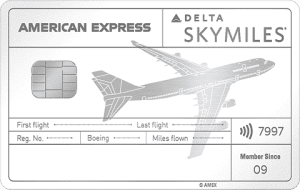
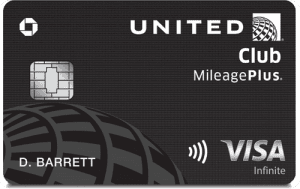
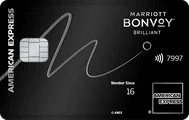
Card | Annual Fee | Authorized User Annual Fee | $550 | $75
|
|---|---|---|---|
$695 | $175 for up to 3 additional Platinum cards, then $175 per additional Platinum card (see rates & fees) | ||
$395 | Free for the first 5 people
| ||
$650 | $175 for each additional Delta Reserve Card (see rates & fees) | ||
$525 | Free | ||
$650 | Free (See rates and fees) | ||
$525 | Free for up to the first 10 users |